Freelance Product Designer · 2026
Thinkmay
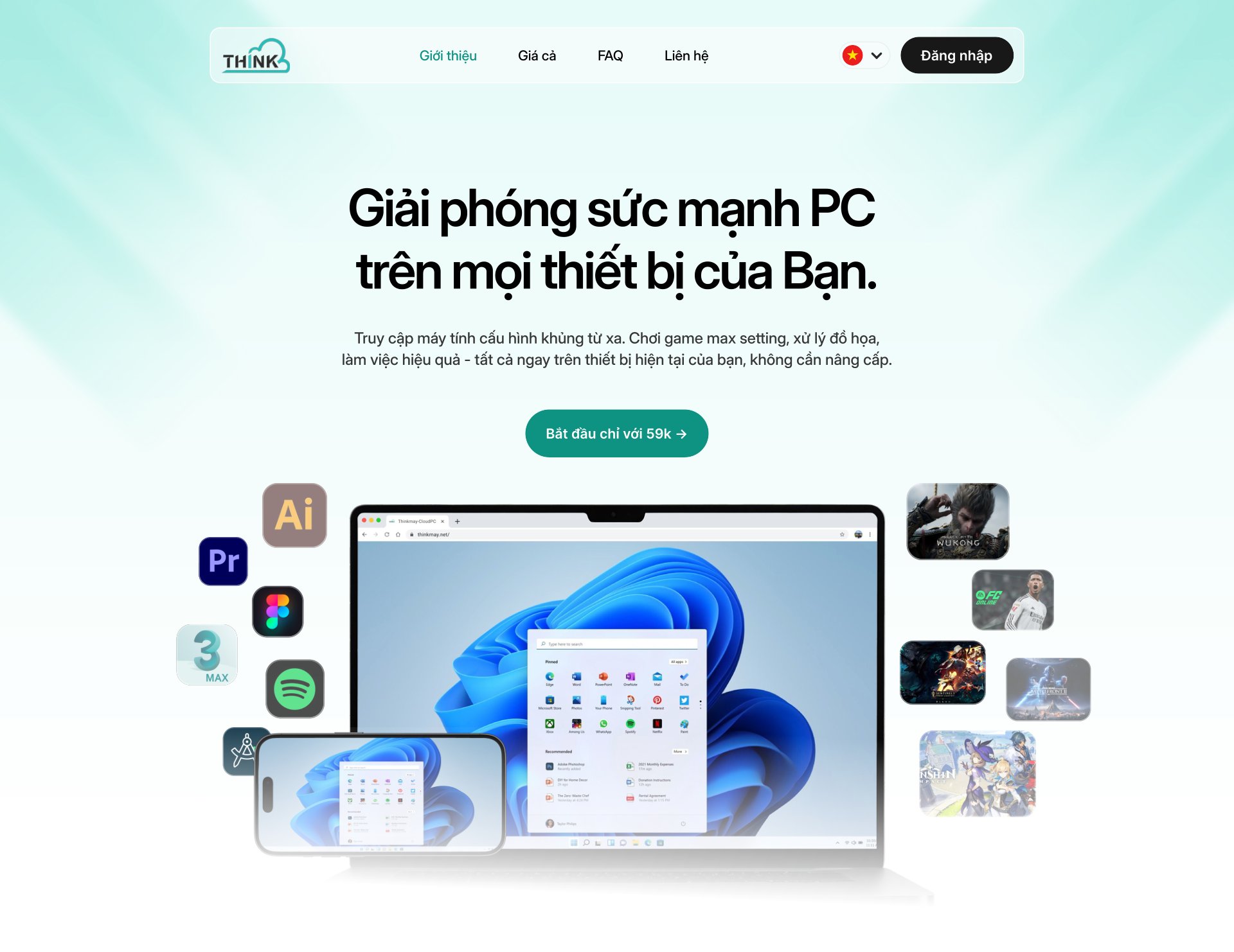
Cloud PC is hard to explain, so I led with what it does for you, and made the app ask first for the one thing that decides how it feels: your nearest server.

Overview
The problem and my role.
Context. Thinkmay is a Cloud PC service: rent a high-spec remote machine to play heavy games or do graphics work on whatever device you have. The startup brought me in to design the entire experience: landing page, website and mobile app.
Design decisions
The choices that shaped the product.
- Lead with the benefit, not the jargon. The hero promises PC power on every device you own instead of explaining streaming, latency and data centres. The jargon goes; the condition behind it stays, and the app asks about it first.
- Ask for the condition that matters first. Distance to the server decides whether a session feels like a local PC, so sign-in asks for the region before the password: the one condition that shapes the experience is the first thing people choose.
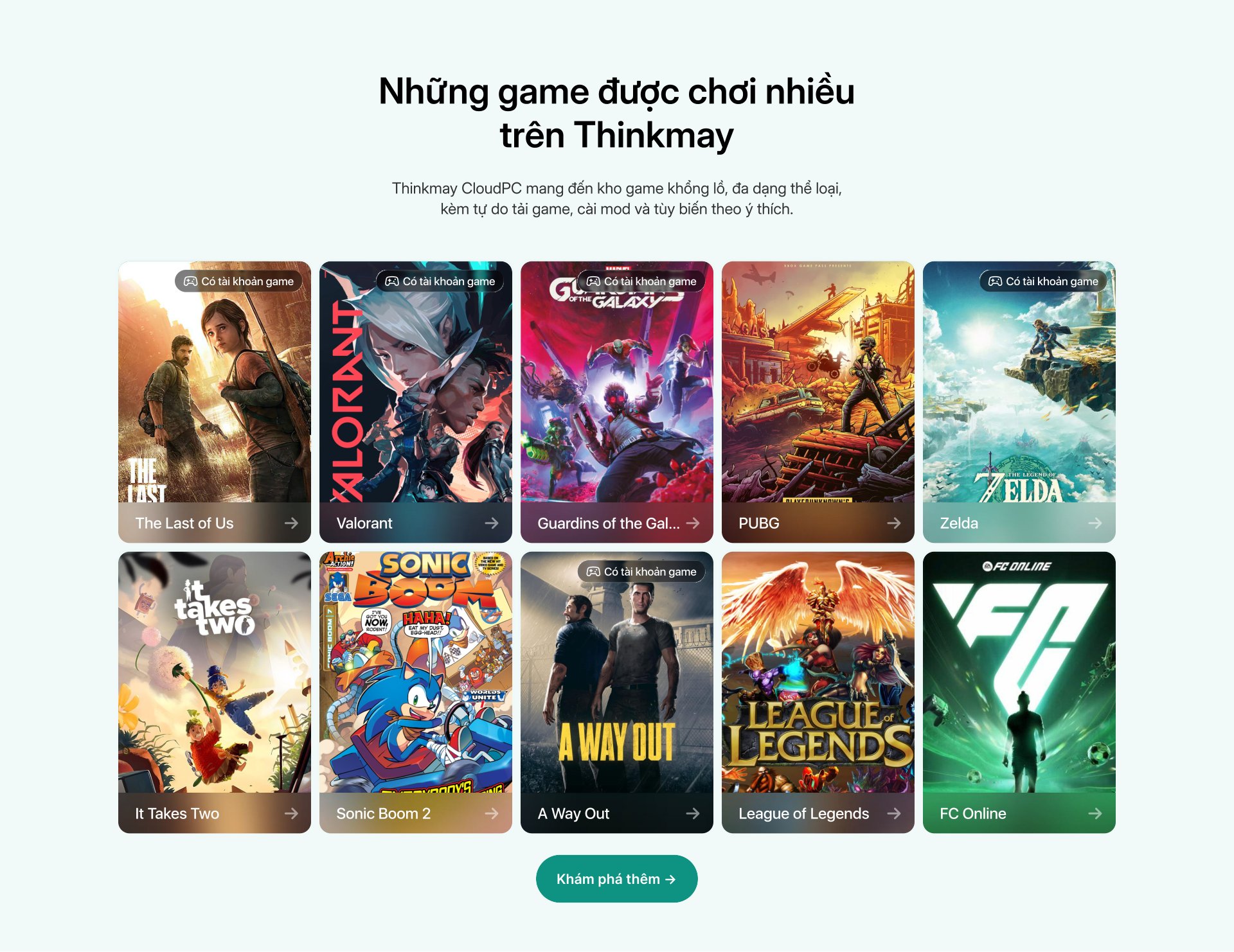
- The game library is the proof. A grid of original cover art with a "game account included" badge answers both questions at once: what can I play, and do I have to buy it.
One decision, start to finish
Show the limits before the payment.
- Problem
A Cloud PC promises a monster machine on any device, but what people actually get depends on two things they cannot see: the tier they rent and the distance to the server.
- What I saw
The nearest region decides whether a session feels local, and each tier runs the same game at a different frame rate.
- Options
Keep those conditions in an FAQ, or put them inside the flow, at the moment they matter.
- Choice and cost
Inside the flow. Sign-in asks for the server before the password, every game page shows the frame rate on each tier with your current and the recommended one marked, and settings has a network check. The cost is extra information on screens that could have just said “Play”.
- What happened
The product sets expectations before the payment, not after it: people see their server and their frame rate before they commit, which is where trust in a rental product is won.
The work
Real screens, and the reasoning behind them.
The product itself
The landing page sells it once. The app has to keep the promise.
Behind the landing page sits the machine people actually rent. I designed the whole flow: sign in, the Cloud PC dashboard, a browse page shelved by mood, the control panel floating over the running desktop, plans and settings. One dark green system, so nothing feels like a different company past the checkout.


 Click for the full page

On the phone
The same machine, in your pocket.
The mobile app carries the same dark green system: a first screen that asks you to sign in or start, the Cloud PC dashboard with your hours and specs, game pages and settings.
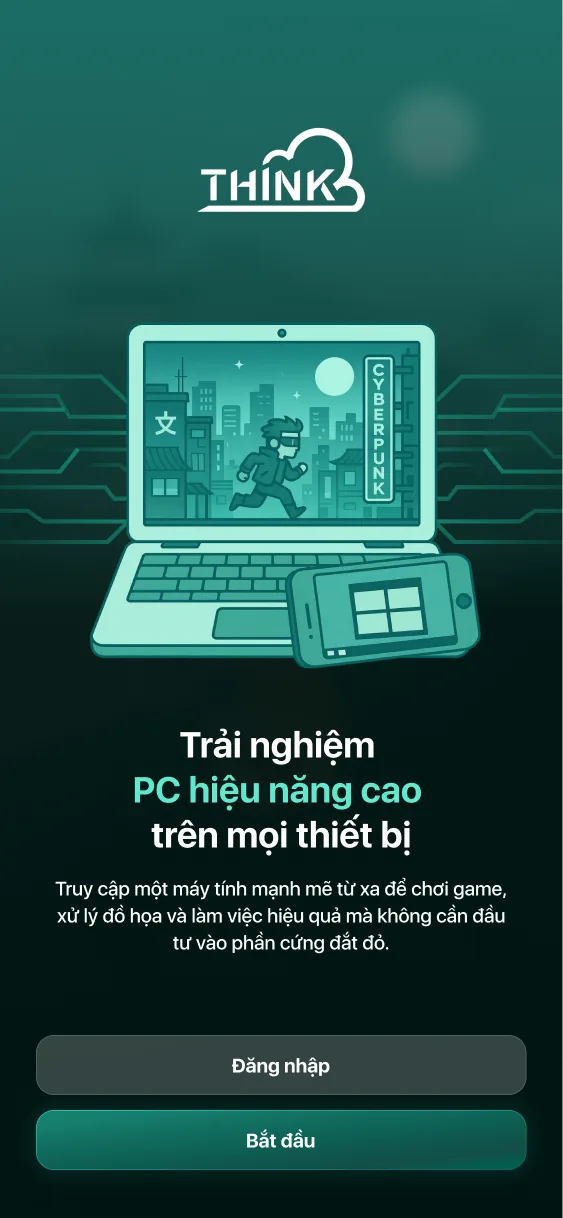
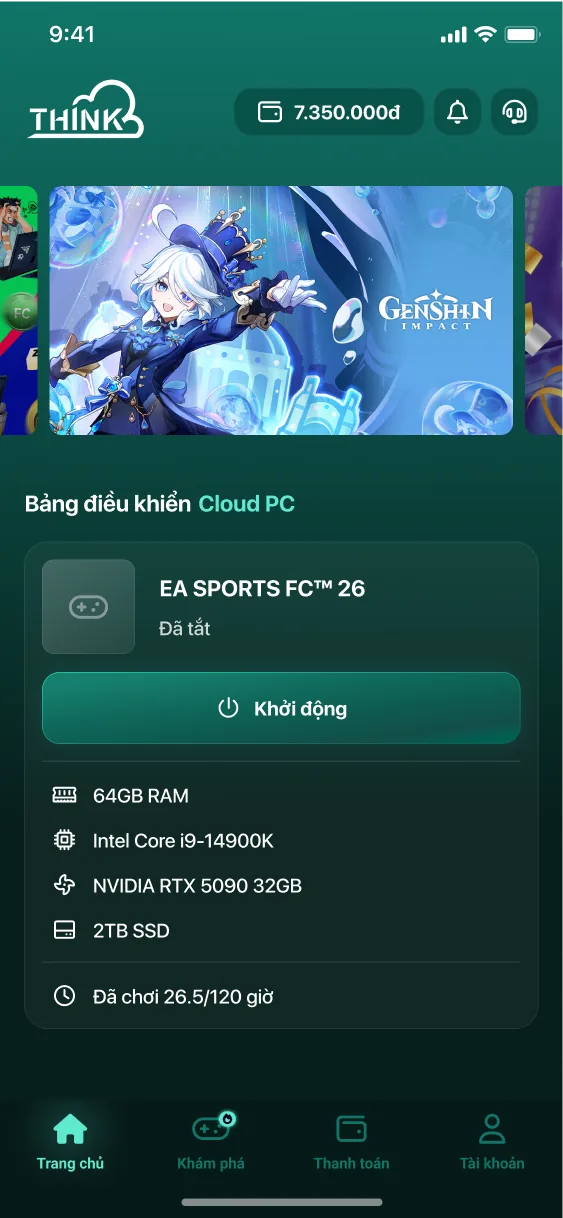
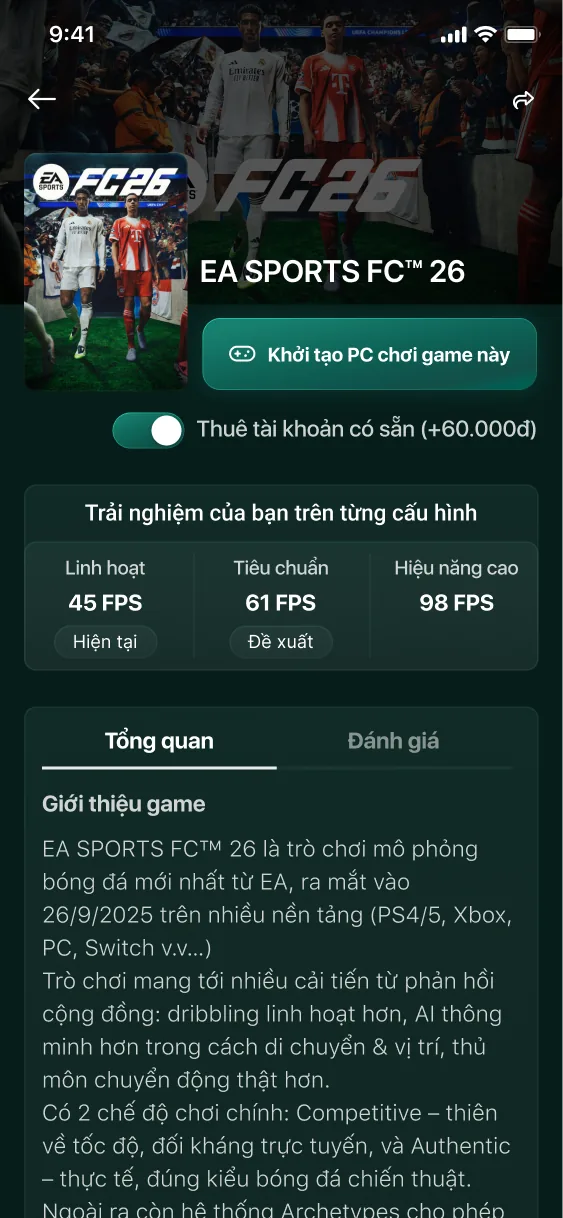
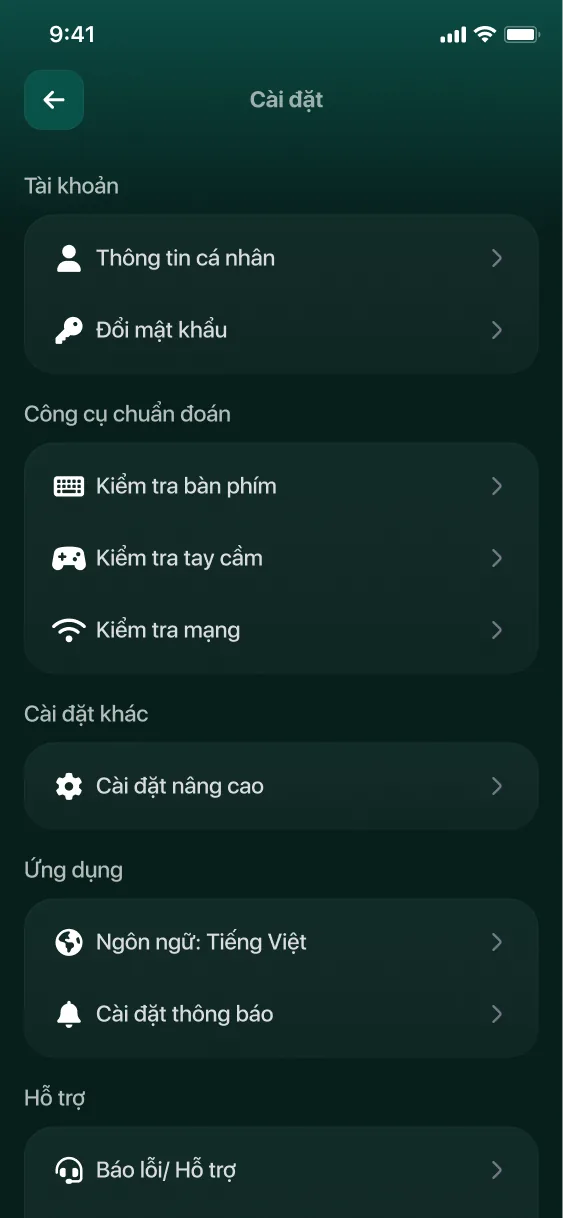
Left → right: first screen · Cloud PC dashboard with hours played and specs · game page with the frame rate on each tier · settings with keyboard, controller and network checks