Silaw
✺ 48-hour hackathon · Product Designer · VAIC 2026, Hanoi
In banking law, the dangerous answer isn’t the one you can’t find. It’s the one that was right last year.
Context. At VAIC 2026, a 48-hour AI hackathon in Hanoi, SHB brought a problem from its legal team. Branches send in questions, and the laws behind the answers keep changing: a circular gets amended, then partly suspended a few months later. The risk that matters most is answering from a version that is no longer in force: the answer looks right, and someone acts on it.
My role. We were a team of five. The engineers built an engine that tracks each clause’s validity over time; I was the product designer, responsible for everything a legal officer touches: the Q&A, source viewer, change history, impact radar, knowledge base, admin screens and the landing page. We designed around one user, a head-office legal officer we called Lan.
The app screens below are rendered from the team’s code, with the demo’s sample documents.
✺ The answer
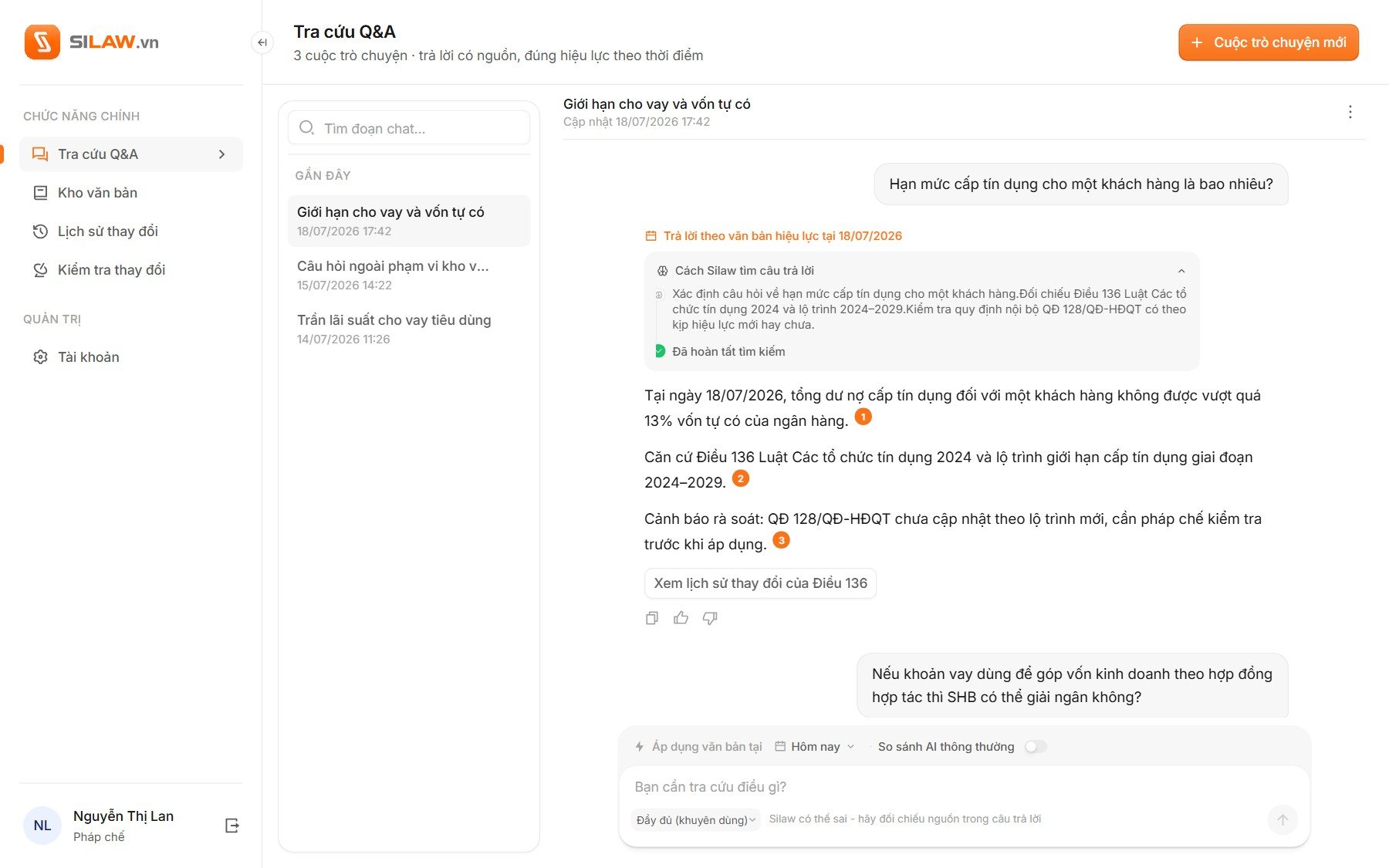
Every answer shows its source and its date.
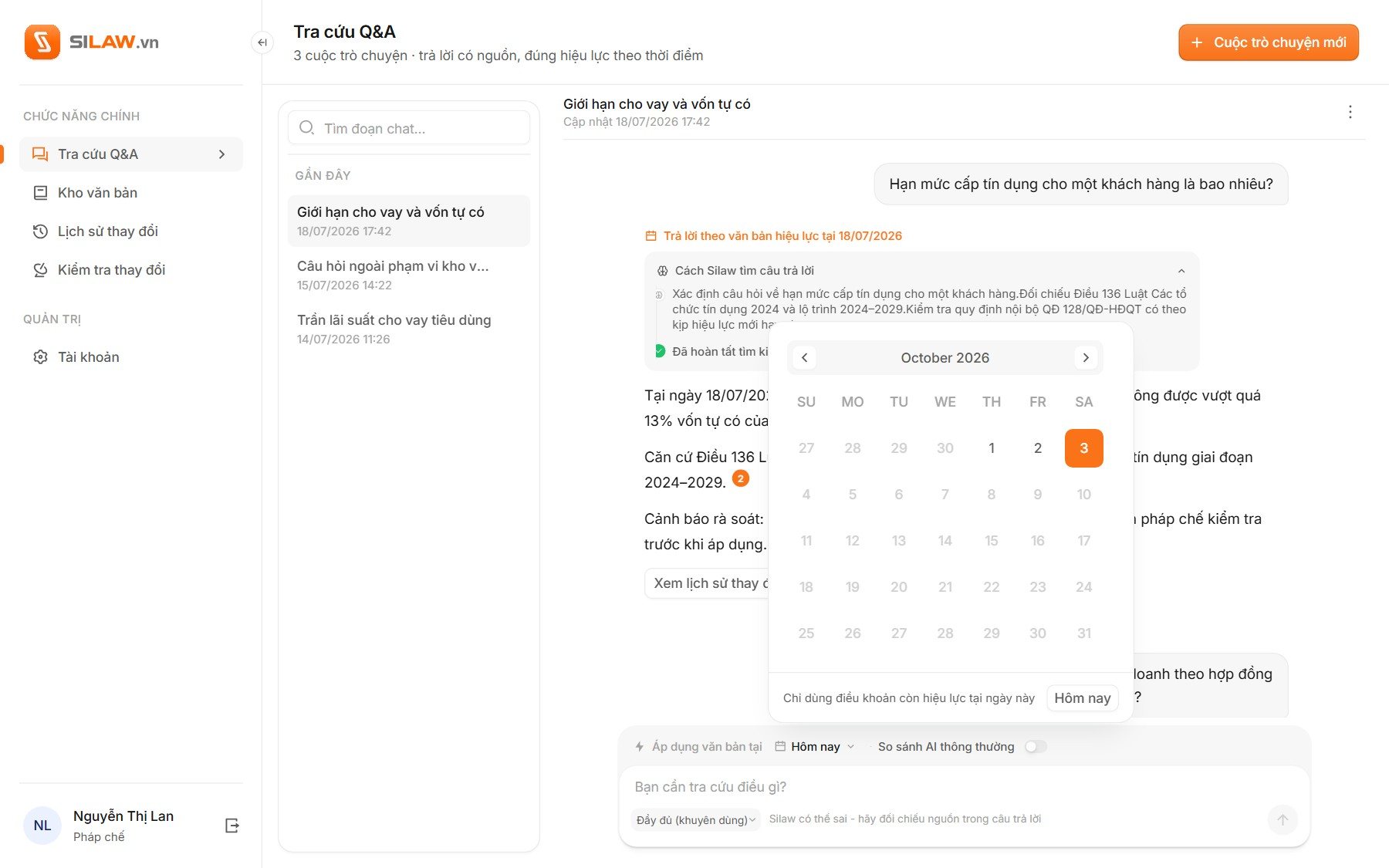
Lan won’t act on an answer she can’t check. So the answer opens with the figure, every claim carries a numbered source, and the date the answer holds for sits right above it.
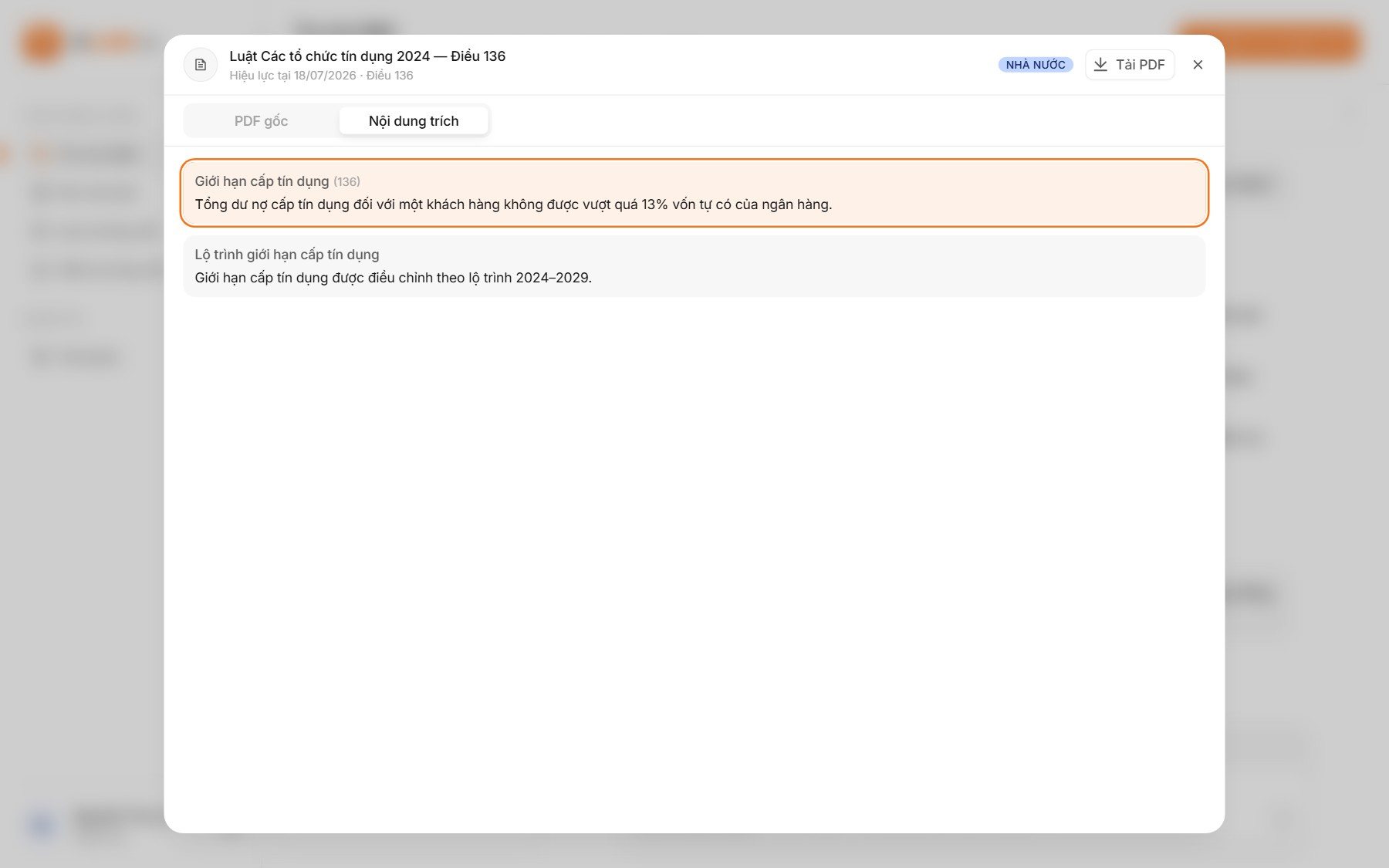
✺ One decision, start to finish
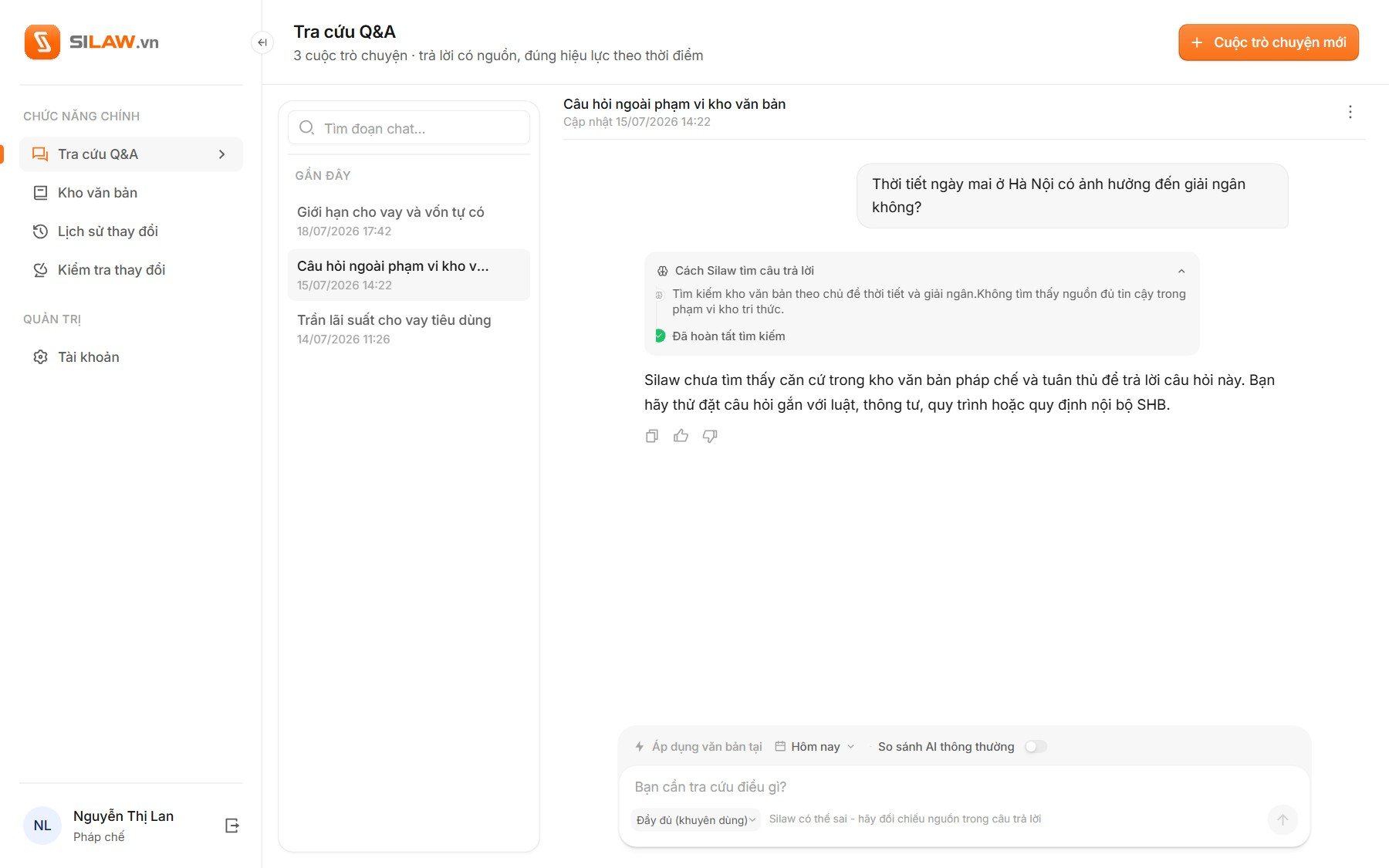
Treat “not enough evidence” as an answer.
- Problem
An AI that always answers is the wrong tool for this. When the source is missing or expired, a confident answer is worse than none.
- What I saw
Most AI products hide their refusals, because an assistant that says “I can’t answer that” looks broken. Legal officers see it differently: “there isn’t enough basis” is a normal answer in their job.
- Options
Show a refusal as a short error message, as most chat products do, or give it the same weight as an answer.
- Choice and cost
The same weight. A refusal uses the same layout as any reply: what Silaw searched, what it couldn’t find, and how to rephrase. The landing page makes the same promise on its first screen. The cost: in a short demo, an assistant that sometimes says no looks less impressive than one that always answers.
- What happened
The team tested Silaw against a plain chatbot on the same documents, with 20 questions. The chatbot answered all four out-of-scope questions anyway; Silaw held back on two. On the sixteen the documents could answer, every Silaw answer cited the version in force, while the chatbot gave no sources at all.
✺ Change history
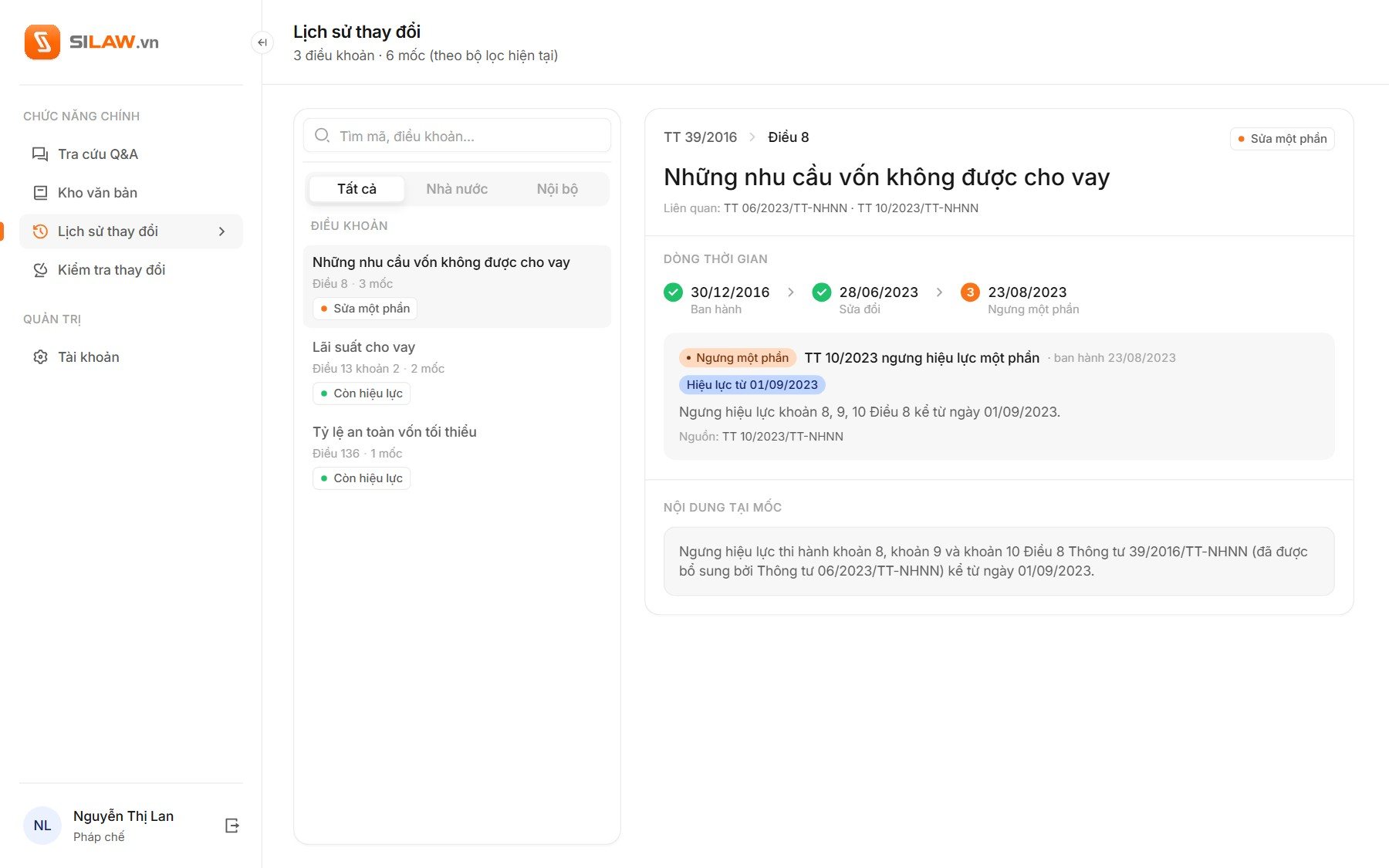
Why is this the current version?
Each clause has a history: issued, amended, partly suspended. The change history lists clauses with their status and draws the selected one as dated milestones, with the text as it stood at each step.
✺ Impact radar
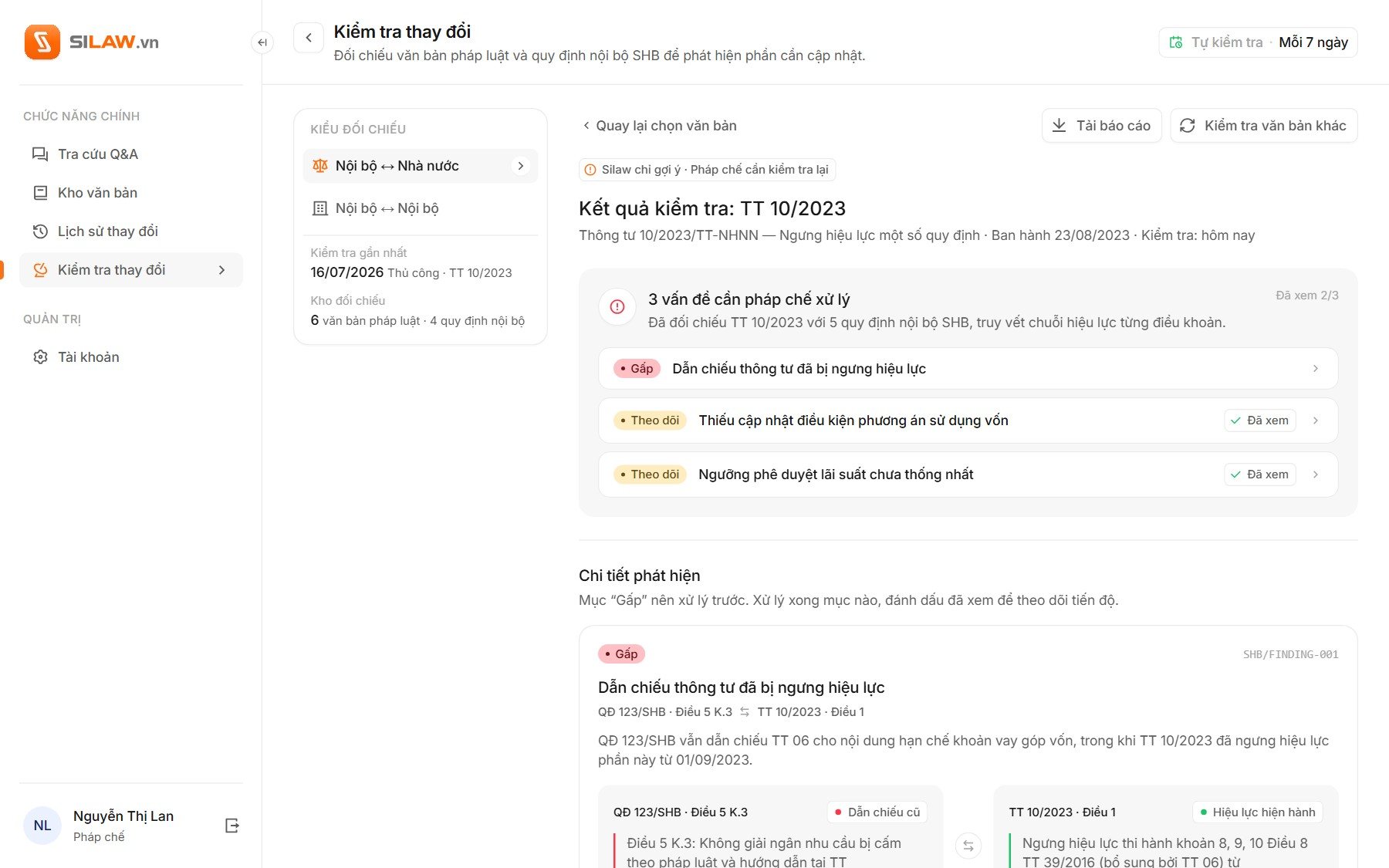
The radar finds the gap. A person decides.
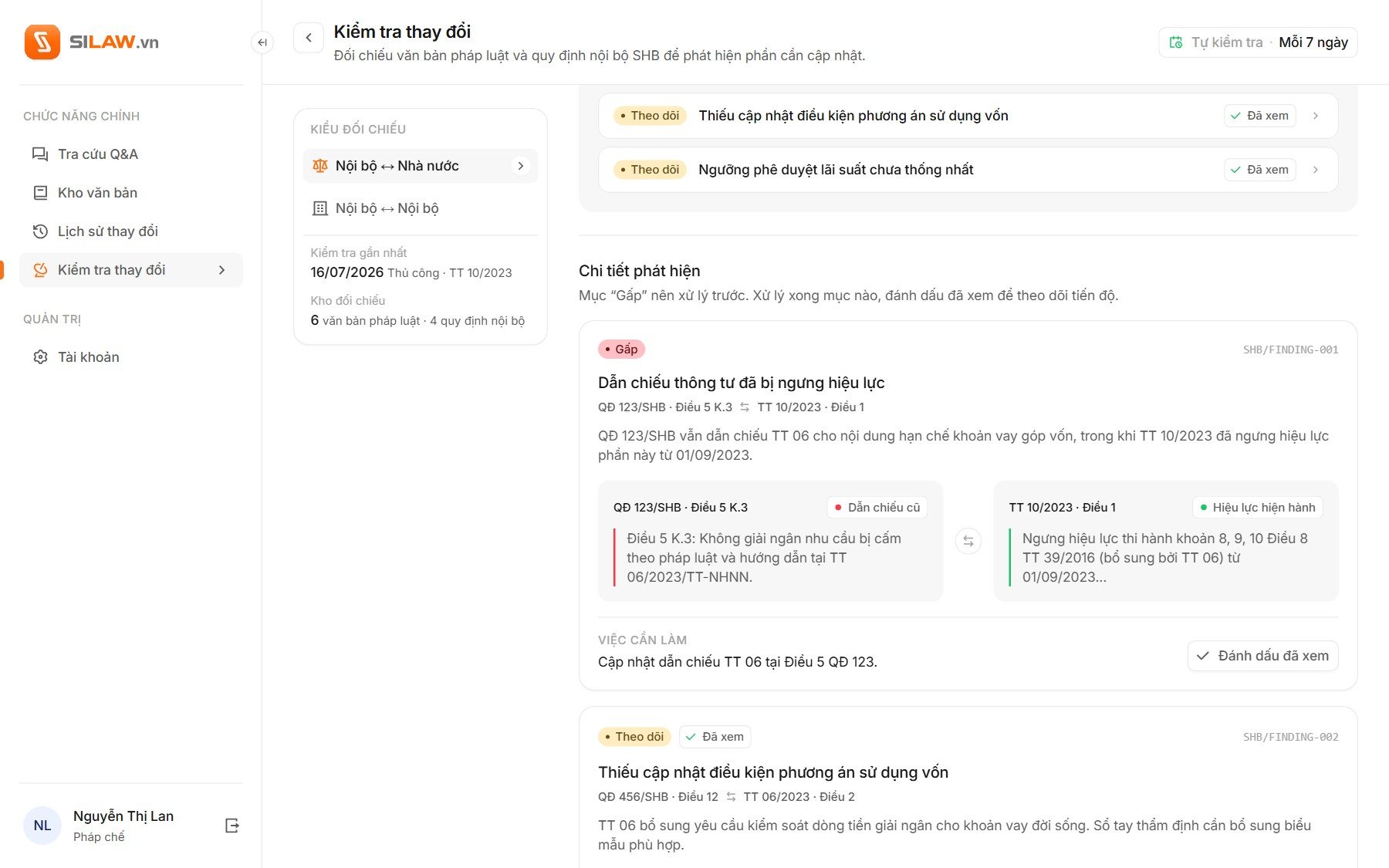
When a new circular comes out, the radar checks it against the bank’s internal rules and lists what needs updating, most urgent first. Each finding quotes both texts word for word and names the action; a person reads it and marks it as seen.
✺ Behind the answers
A library you can see into.
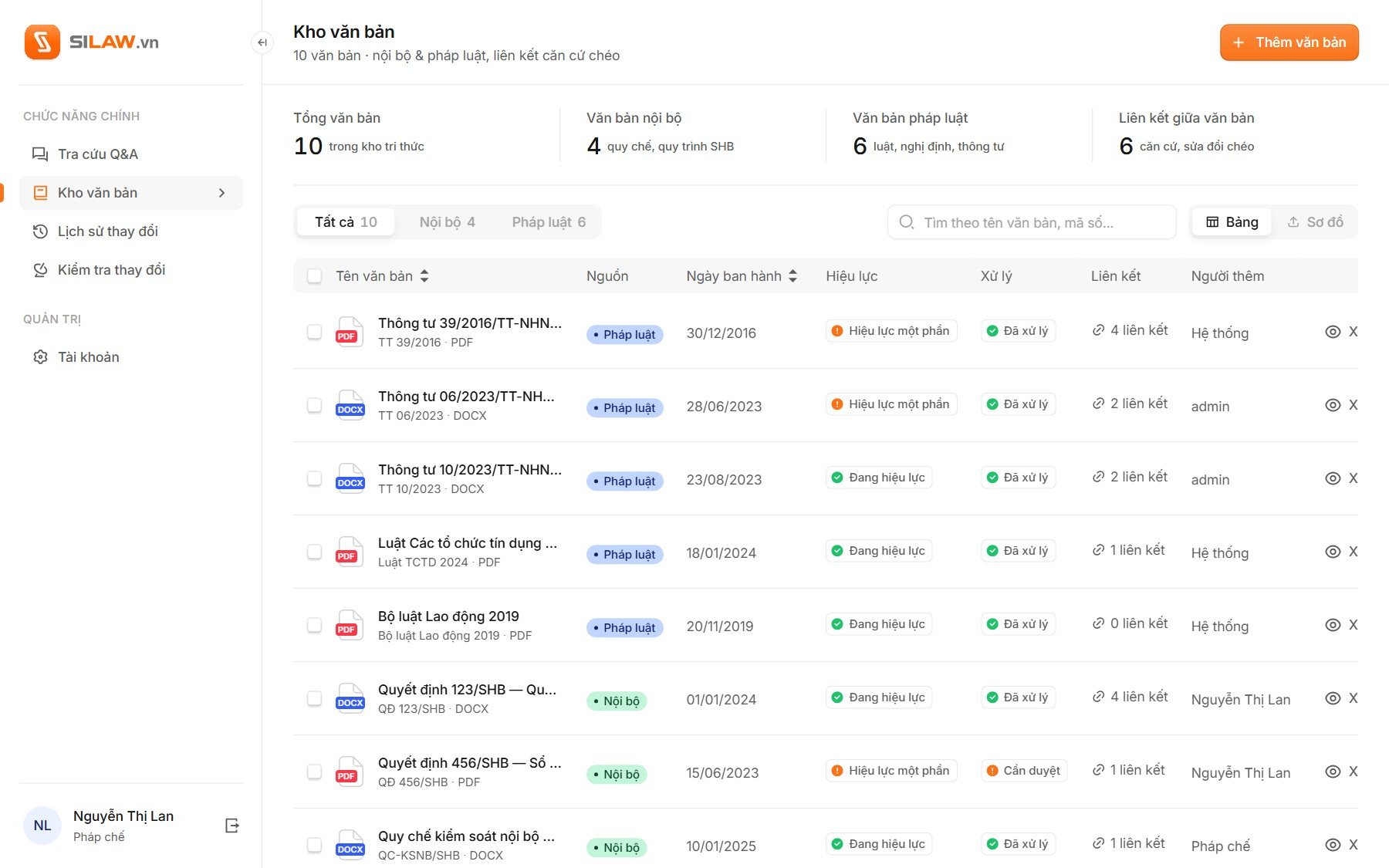
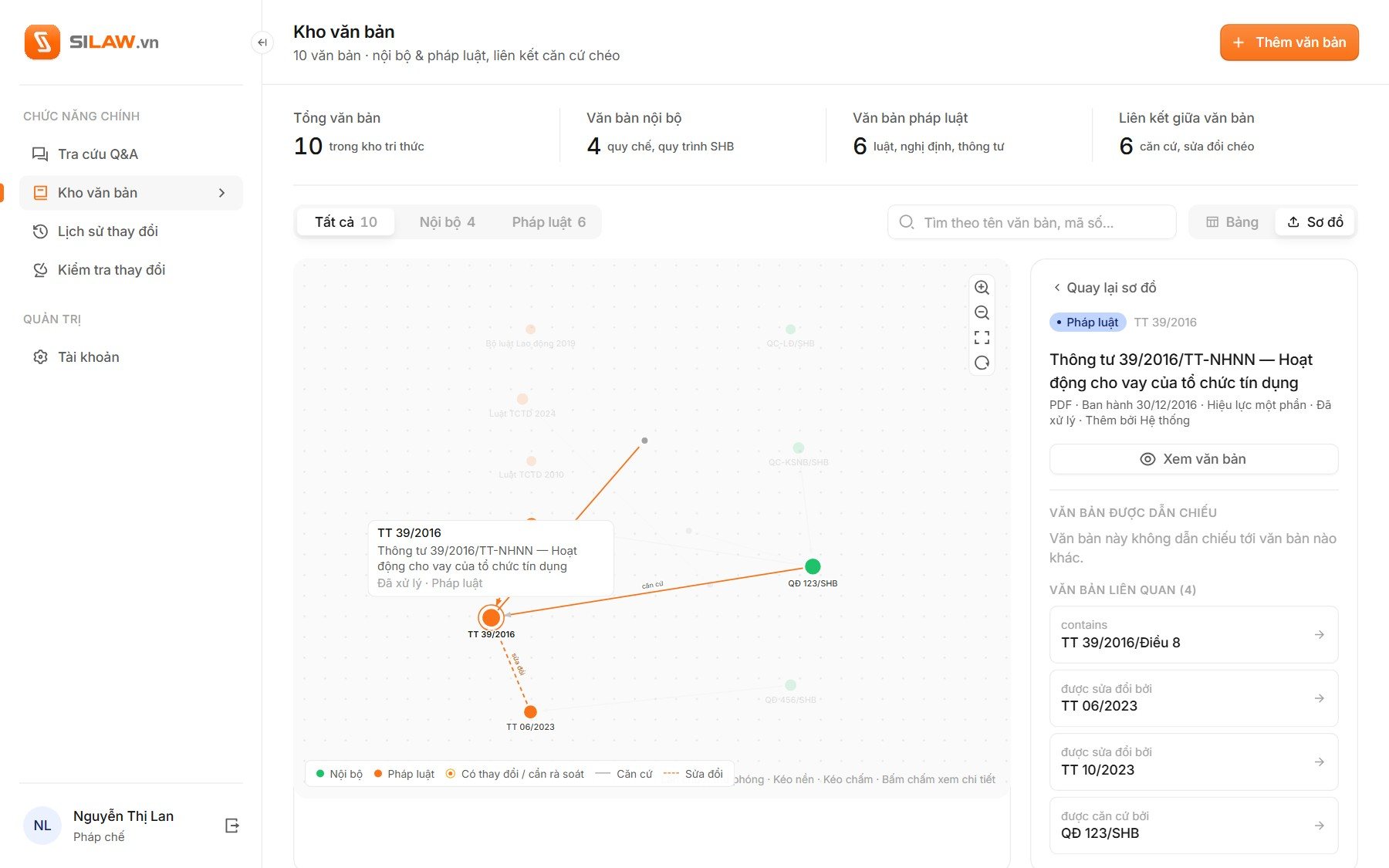
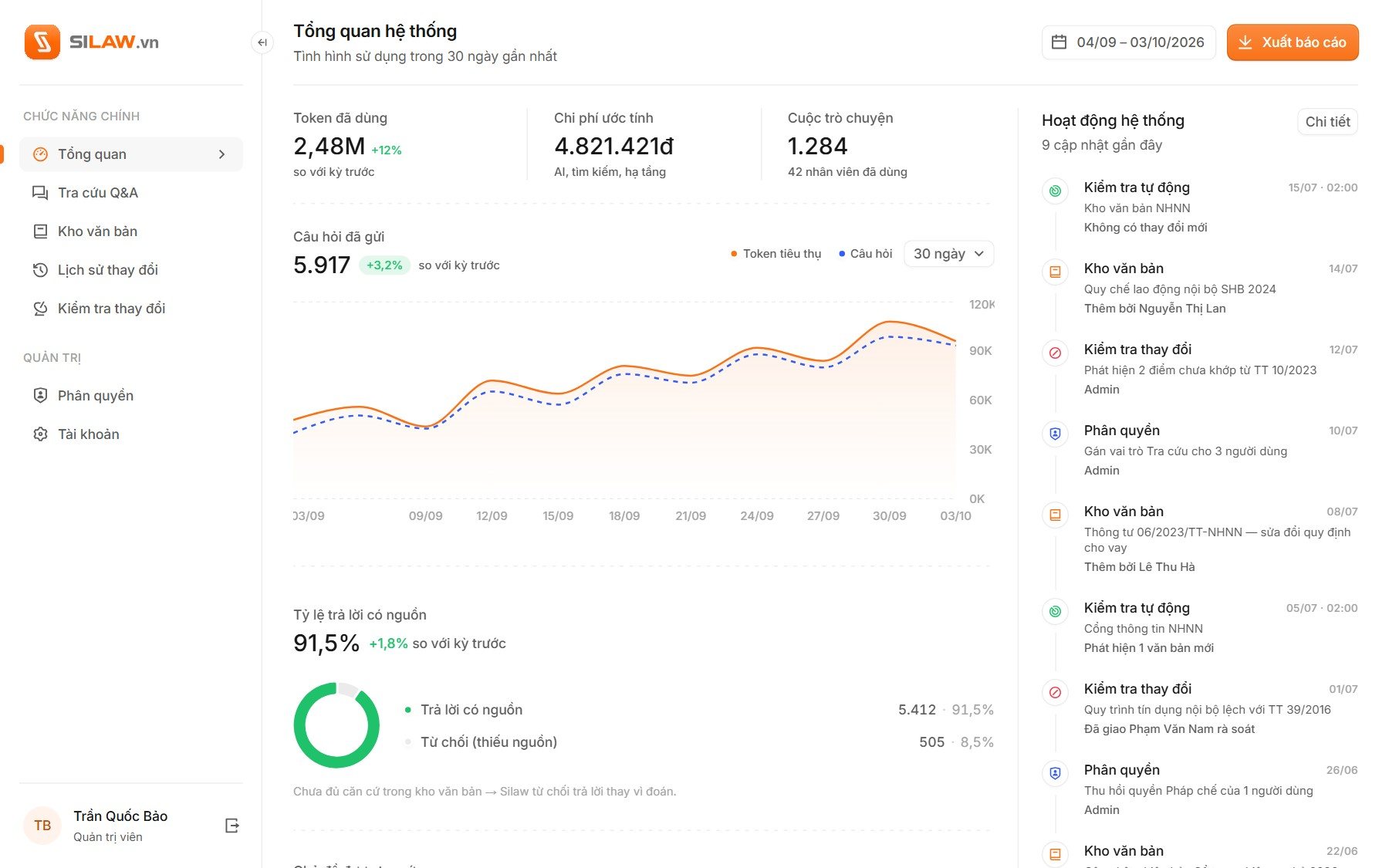
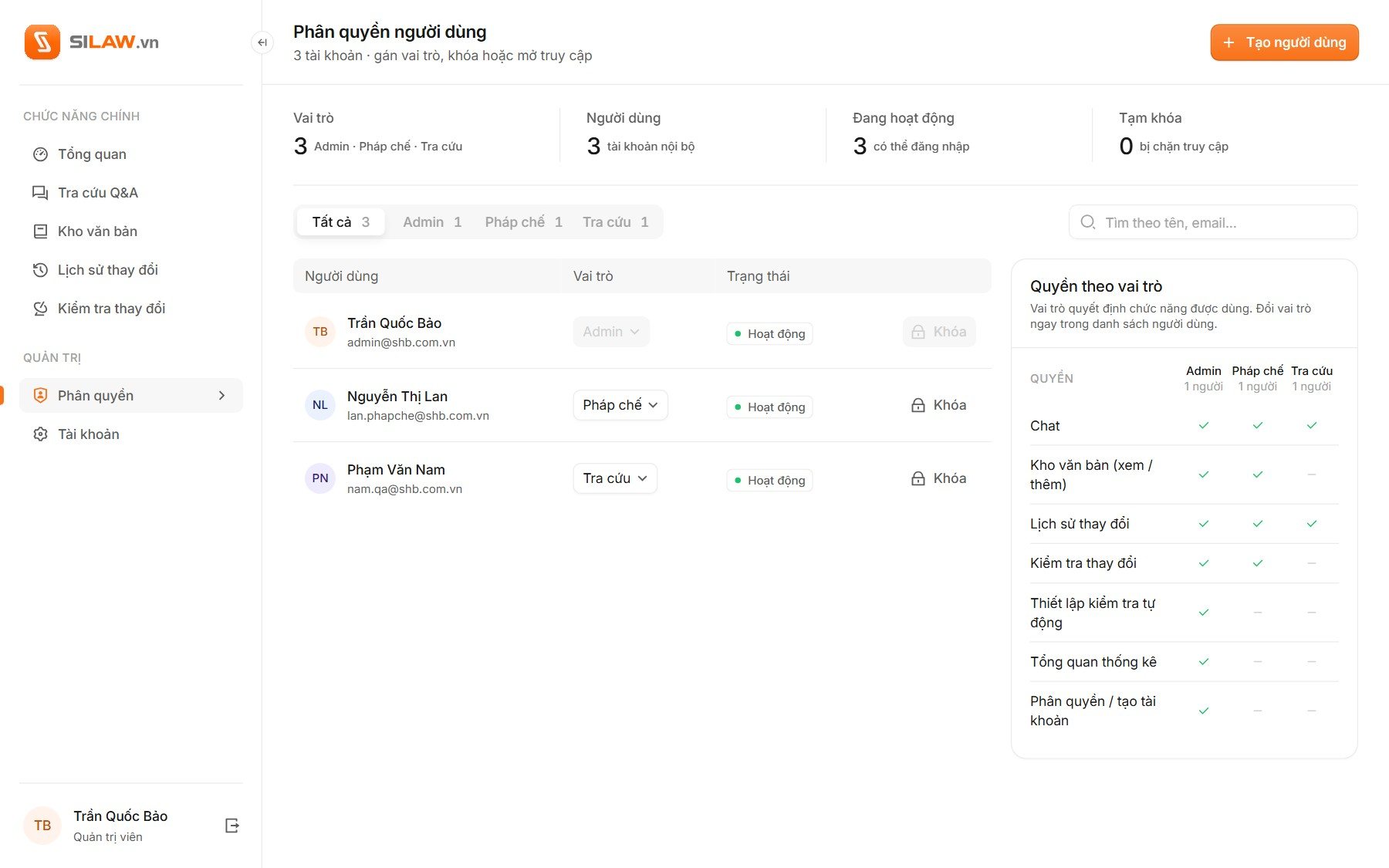
Answers are only as good as the documents behind them, so the knowledge base shows what is in it, whether each document is in force, how far it has been processed and what it links to. Admins see questions, AI cost and the share of answers with sources on one screen, and set who may do what.
✺ The front door
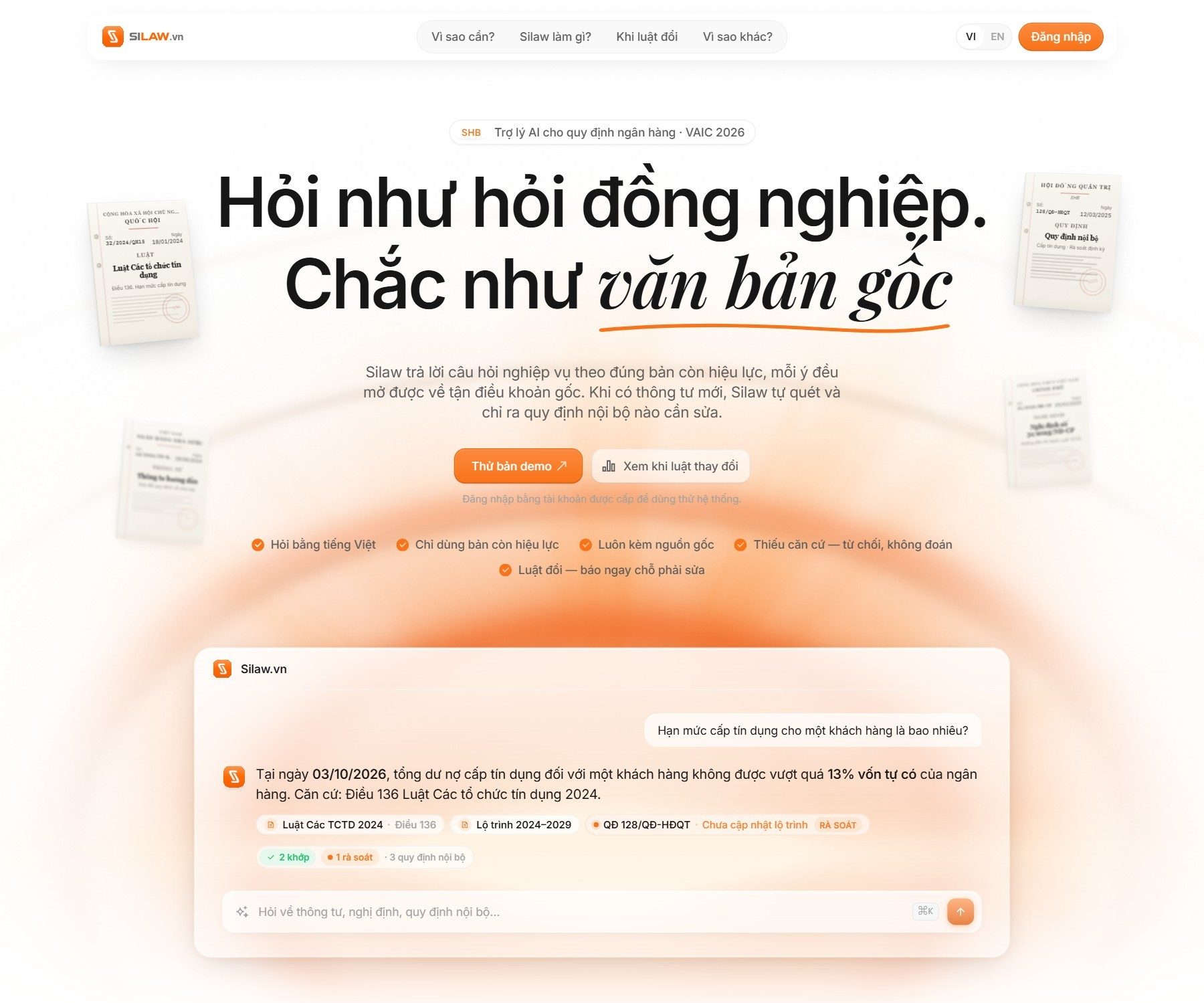
A landing page that answers before you scroll.
The landing page opens with a real answer instead of an illustration: the single-customer lending limit, dated to the visitor’s own today, with its article and a flag on an internal rule. Cream paper and one orange instead of banking navy, so it feels like asking a colleague.
See the live site ↗